


Kaka Auto Parts
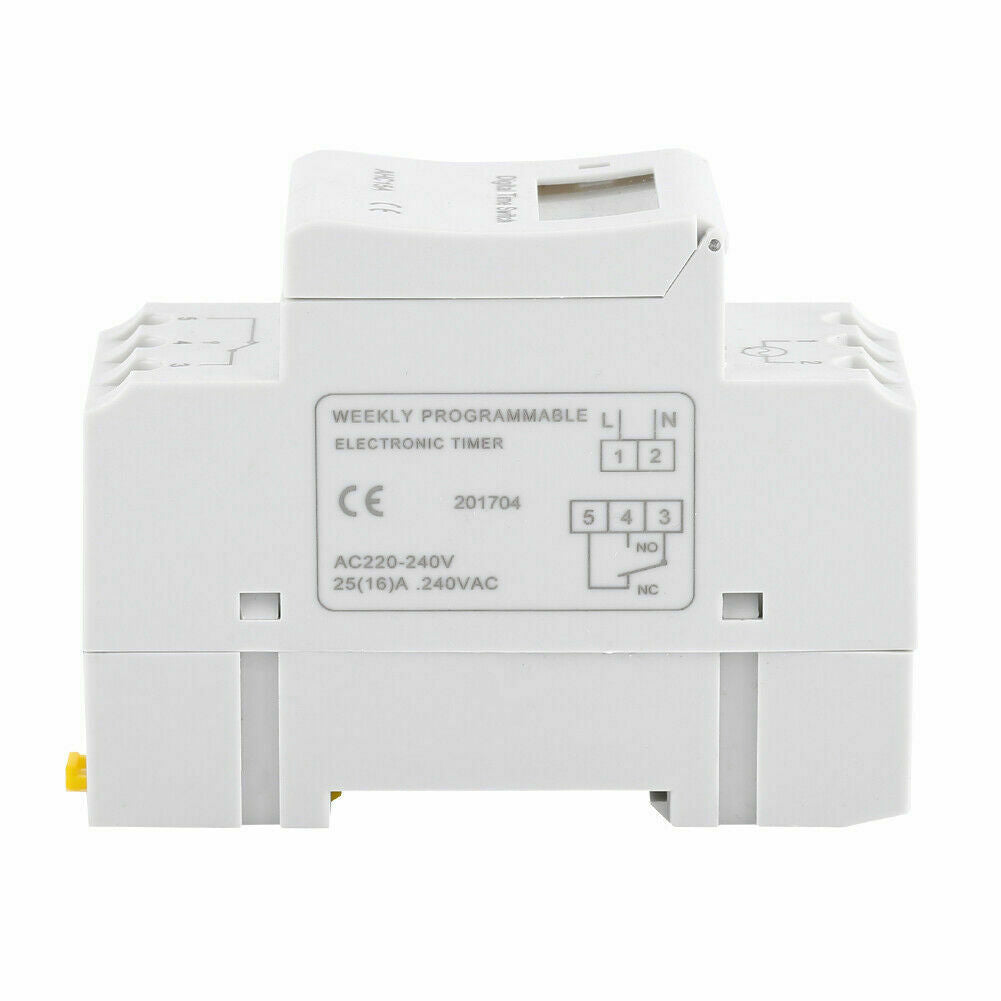
AU Local Digital LCD Power Programmable DIN Rail Timer Time Switch Relay AC 220V
AU Local Digital LCD Power Programmable DIN Rail Timer Time Switch Relay AC 220V
NZ Owned & Operated | NZ-Based Support
Couldn't load pickup availability
This timer switch could automatic turn on/off all kinds of electric equipment according to the time user set. It has a built-in rechargeable battery and a industrial grade chip. With high accuracy and strong anti-interference ability, the timer switch is great for controlling street lamps, neon lamps, production equipment, radio and television and many other home appliances.
Features:
Advanced pre-setting one week before.
Digital electronics general purpose time switch with daily and weekly programs.
Repeat programs with 16 ON/OFF settings.
To-the-minute setting accuracy.
LCD displays real time to Hour/Minute and ON/AUTO/OFF.
DIN rail installation, DIN rail is not included.
Specifications:
Working temperature: -20℃~+55℃
Working voltage: 220~240VAC 50~60Hz
Power consumption: <1W
Control power: 16 (8) 250VAC
Display device: LCD display
Timing range: 1 minute to 168 hours
Power failure memory: 60 days
Travel time error: 1s/24h 25℃
Internal battery: 1.2V40Ma (rechargeable battery)
Timing times: 16 times of switching (day/week)
Dimensions: 86.5×36×65.5mm
Meet the standard: GB/T14536.1
Product net weight: 120G
Quantity: 1
Instruction:
1, When you use the timer switch for the first time, input AC and charge the inbuilt battery please, then press reset button.
2, The timer switch is at 24-hour mode as default. Press and hold "time" button(bottom left, next to "reset") for 5 seconds till it display "AM" to set to 12-hour mode. Press and hold again "time" button for 5 seconds to set back to 24-hour mode.
Programming:
Step Button Programming
1 Press P Setting"1 ON" time(display 1 on)
2 Press D+ Select days of week(if you want same set for every day, you do not need to press this button)
3 Press H+/M+
Set hours and minutes
4 Press P Setting "1 OFF" time(display 1 off)
5 Press P Select days week(If you want same set for every day, you do not need to press this button)
6 Press H+/M+ Set hours and minutes
7 Repeat step 2 to 6 Set other on/off time
8 Press "time"(bottom left, next to "reset") End
Package Includes:
1 x Timer Switch
1 x English Manual
Note:
*Sourced From Professional Aftermarket Manufacturer, QUALITY GUARANTEED.*
Share


- Choosing a selection results in a full page refresh.
- Opens in a new window.